
Agent Handoff and SubAgent
SubAgent Orchestration is an advanced agent organization method provided by AstrBot. It allows you to decompose complex tasks into multiple specialized SubAgents, reducing the Main Agent's prompt length and improving task execution success rates.
v4.14.0 introduced this feature, which is currently an experimental feature and not yet stable.
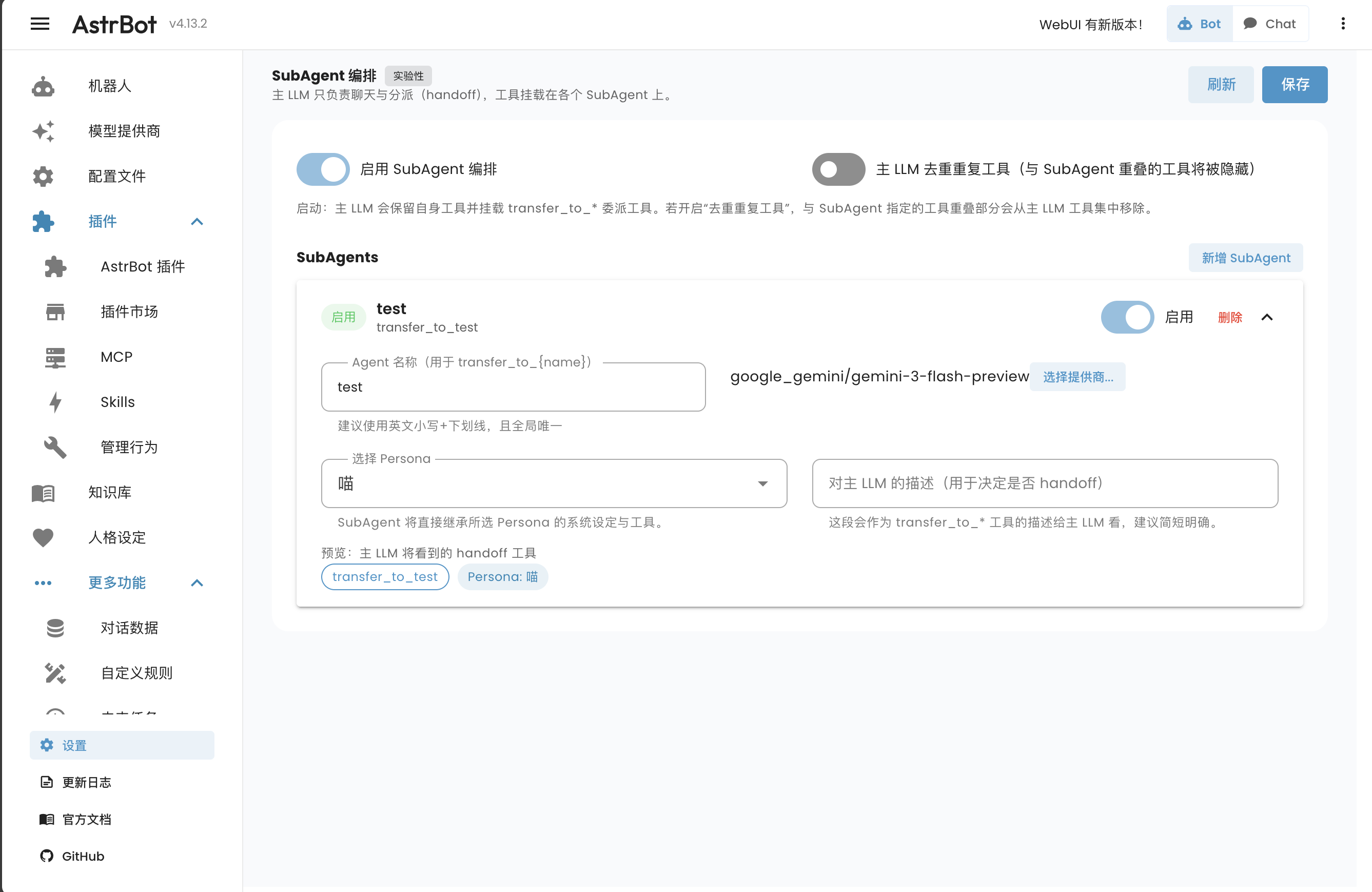
Motivation
In traditional architectures, all tools are directly mounted on the Main Agent. When there are many tools, several issues arise:
- Prompt Bloat: The Main Agent must include descriptions for all tools in its System Prompt, consuming excessive context.
- Execution Errors: With a large number of tools, the LLM may confuse tool purposes or generate incorrect parameters.
- Complexity: The Main Agent is overburdened with both conversation and the organization/invocation of numerous tools.
With SubAgent Orchestration, the Main Agent can interact with users, use its own tools, and delegate tasks to specialized SubAgents.
How It Works
- Main Agent Delegation: When SubAgent mode is enabled, the Main Agent gains delegation tools named
transfer_to_<subagent_name>alongside its own tools. Enabling the option to deduplicate Main LLM tools hides tools that overlap with those of SubAgents. - Task Handoff: When the Main Agent determines a task needs execution, it calls the corresponding delegation tool, passing the task description to the SubAgent.
- SubAgent Execution: The SubAgent receives the task, performs operations using its assigned tools, and returns the organized results to the Main Agent.
- Feedback: The Main Agent receives the results and continues the conversation with the user.
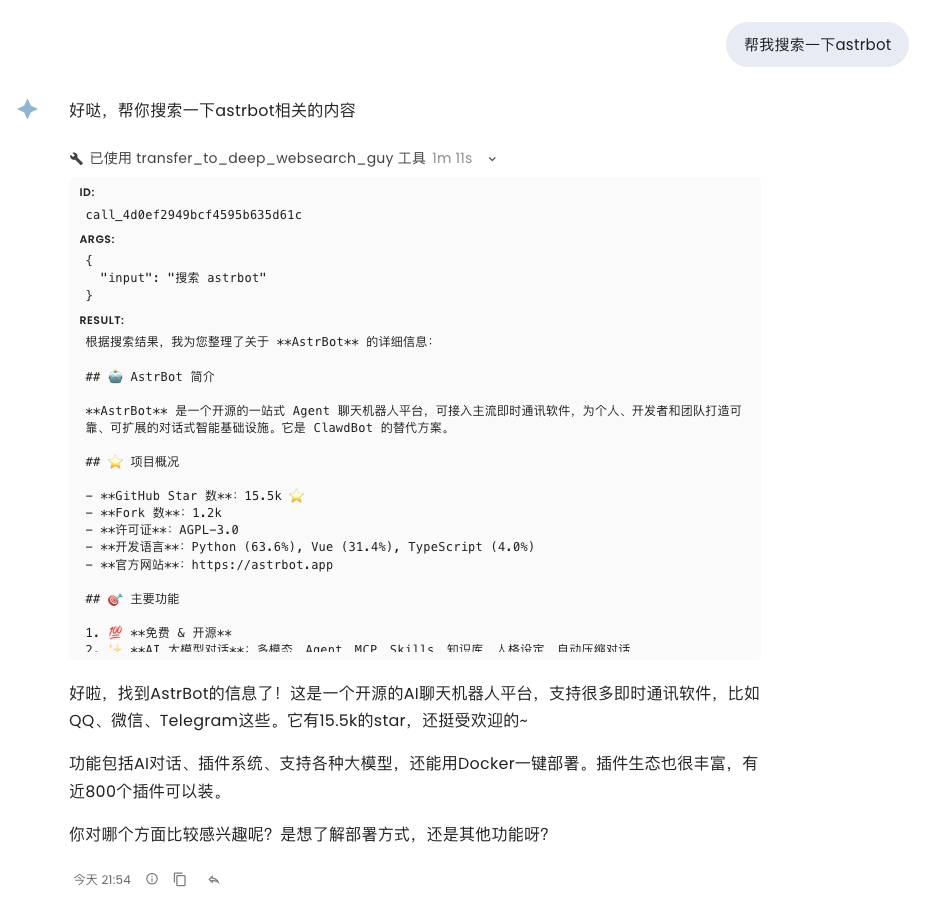
Configuration
In the AstrBot WebUI, expand More Features in the left navigation bar and click SubAgents (/subagent).
1. Enable SubAgent Mode
Toggle "Enable SubAgent Orchestration" at the top of the page.
2. Create a SubAgent
Click the "Add SubAgent" button:
- Agent Name: Used to generate the delegation tool name (e.g.,
transfer_to_weather). Use lowercase and underscores. - Select Persona: Choose a preset Persona, which defines the SubAgent's basic character, behavioral guidance, and the Tools collection it can use. You can create and manage Personas on the "Persona" page.
- Description for Main LLM: This description tells the Main Agent what this SubAgent is good at, ensuring accurate delegation.
- Tools: The SubAgent inherits its selected Persona’s tools. Edit the Persona’s tool selection on the Persona page.
- Provider Override (Optional): You can specify different model providers for specific SubAgents. For example, the Main Agent could use GPT-4o, while a simple query SubAgent uses GPT-4o-mini to save costs.
After configuring the agents, click Save on the page.
Best Practices
- Single Responsibility: Each SubAgent should handle one category of related tasks (e.g., search, file processing, smart home control).
- Clear Descriptions: Descriptions for the Main Agent should be concise and highlight the SubAgent's core capabilities.
- Layered Management: For extremely complex tasks, consider multi-level delegation if necessary.
Known Issues
SubAgent orchestration is currently an experimental feature and not yet stable.
- Skills of personas cannot be isolated at this time.
- SubAgent conversation histories are not currently saved.