
Proactive Capabilities
AstrBot introduces a Proactive Agent system, enabling AstrBot to not only respond passively to users but also schedule future tasks and proactively execute them at specified times, delivering results (text, images, files, etc.) to users.
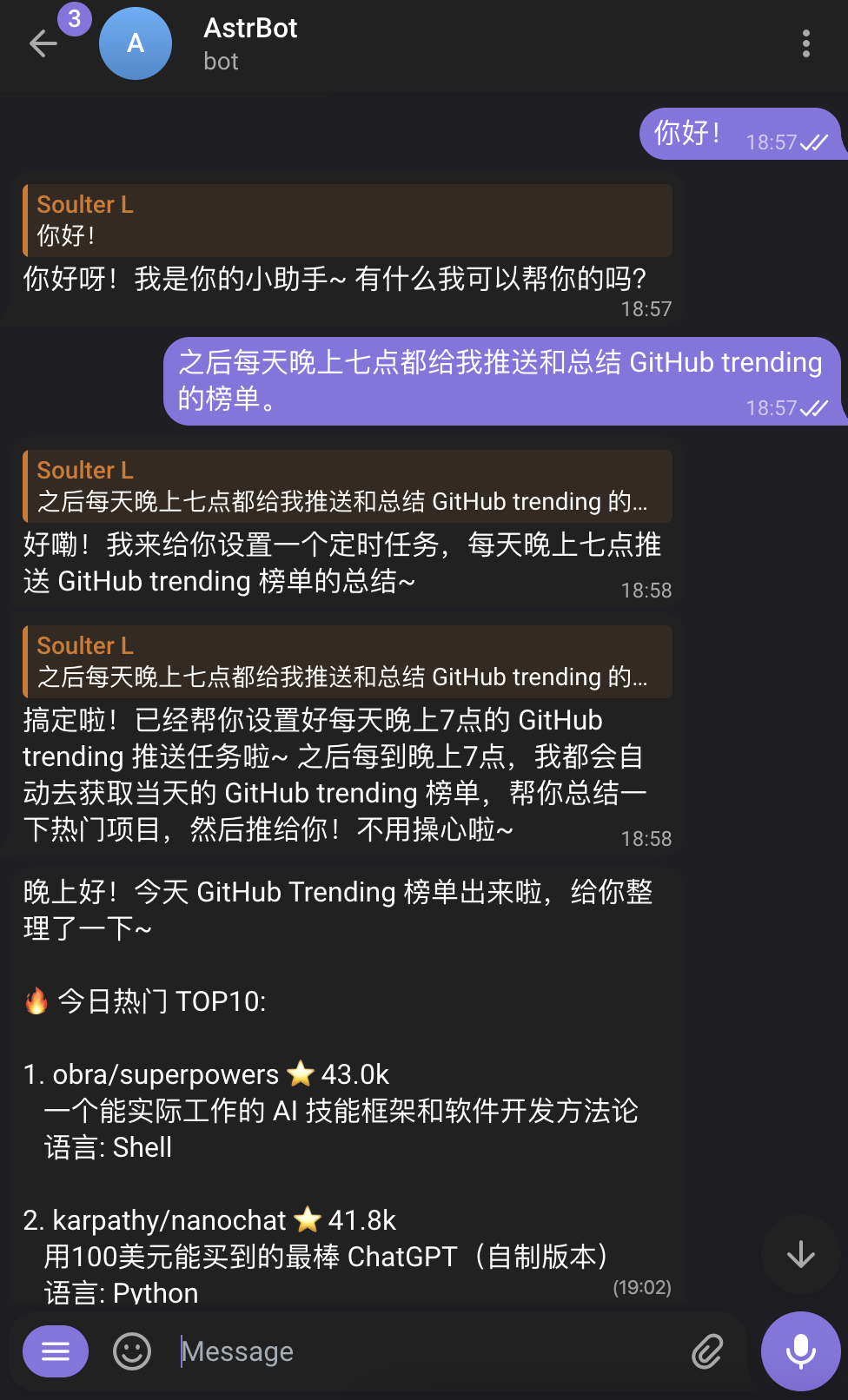
Introduced in v4.14.0, this is currently an experimental feature and not yet stable.
Future Tasks (FutureTask)
The Main Agent can now manage a global Cron Job List, setting tasks for its future self.
Features
- Self-Wakeup: AstrBot automatically wakes up at the scheduled time to execute tasks.
- Task Feedback: After execution, AstrBot reports the results back to the task creator.
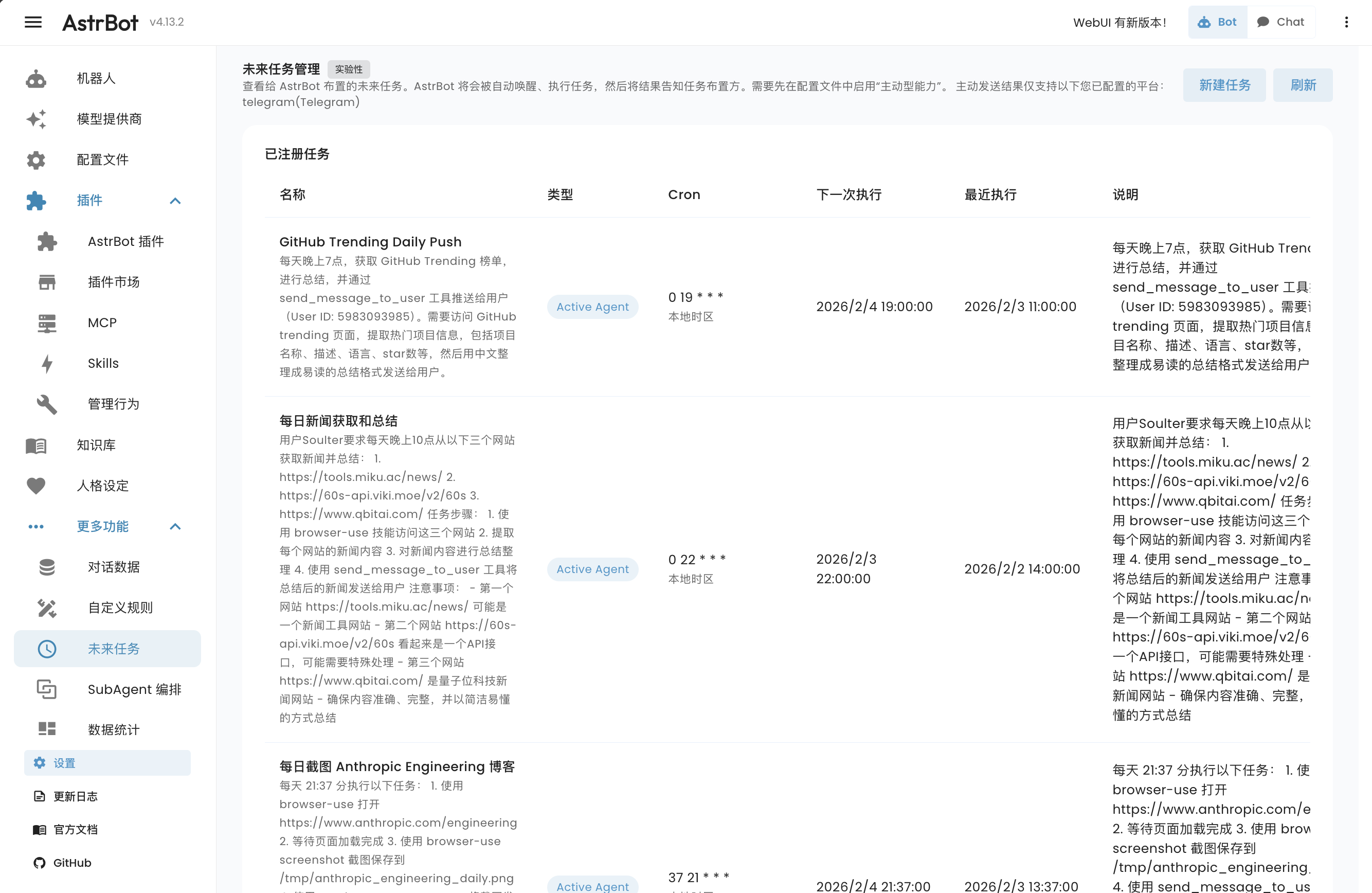
- WebUI Management: You can view, edit, or delete scheduled tasks in the WebUI under More Features → Future Tasks.
How to Use
TIP
First, select the relevant profile on the Config page, open AI → Capabilities → Proactive Agent, enable the feature, and click Save Configuration at the bottom right.
The Main Agent has the ability to manage scheduled tasks. You can tell it:
- "Remind me to have a meeting at 8 AM tomorrow."
- "Summarize this week's work log every Friday at 5 PM."
- "Set a timer for 10 minutes."
The Main Agent will call built-in scheduling tools to arrange these plans.
You can view and manage all future tasks by expanding More Features in the left navigation bar and clicking Future Tasks (/cron) of the AstrBot WebUI.
Supported Platforms
Scheduling tasks is supported on all platforms. However, due to some platforms not providing APIs for proactive message pushing, only the following platforms support AstrBot proactively pushing results to users:
- Telegram
- OneBot (QQ)
- Slack
- Feishu (Lark)
- Discord
- Misskey
- Satori
Sending Multimedia Messages
To make it easier for Agents to send images, audio, video, and other files directly to users, AstrBot provides a send_message_to_user tool by default.
Features
- Direct Sending: Agents can send generated or retrieved multimedia files directly to users without complex text conversions.
- Multiple Formats: Supports images, files, audio, video, etc.