
NewAPI
NewAPI is a next-generation LLM gateway and AI asset management system built on top of One API. It provides a unified interface for managing and using multiple AI model services, including OpenAI, Anthropic, Gemini, Midjourney, and more.
AstrBot can integrate with NewAPI as a model provider, so you can access those model services through AstrBot.
Setup Steps
1. Create a NewAPI API Key
After registering and signing in to NewAPI, open Console in the top navigation bar, go to Token Management, then click Add Token to create a new API key with appropriate permissions.
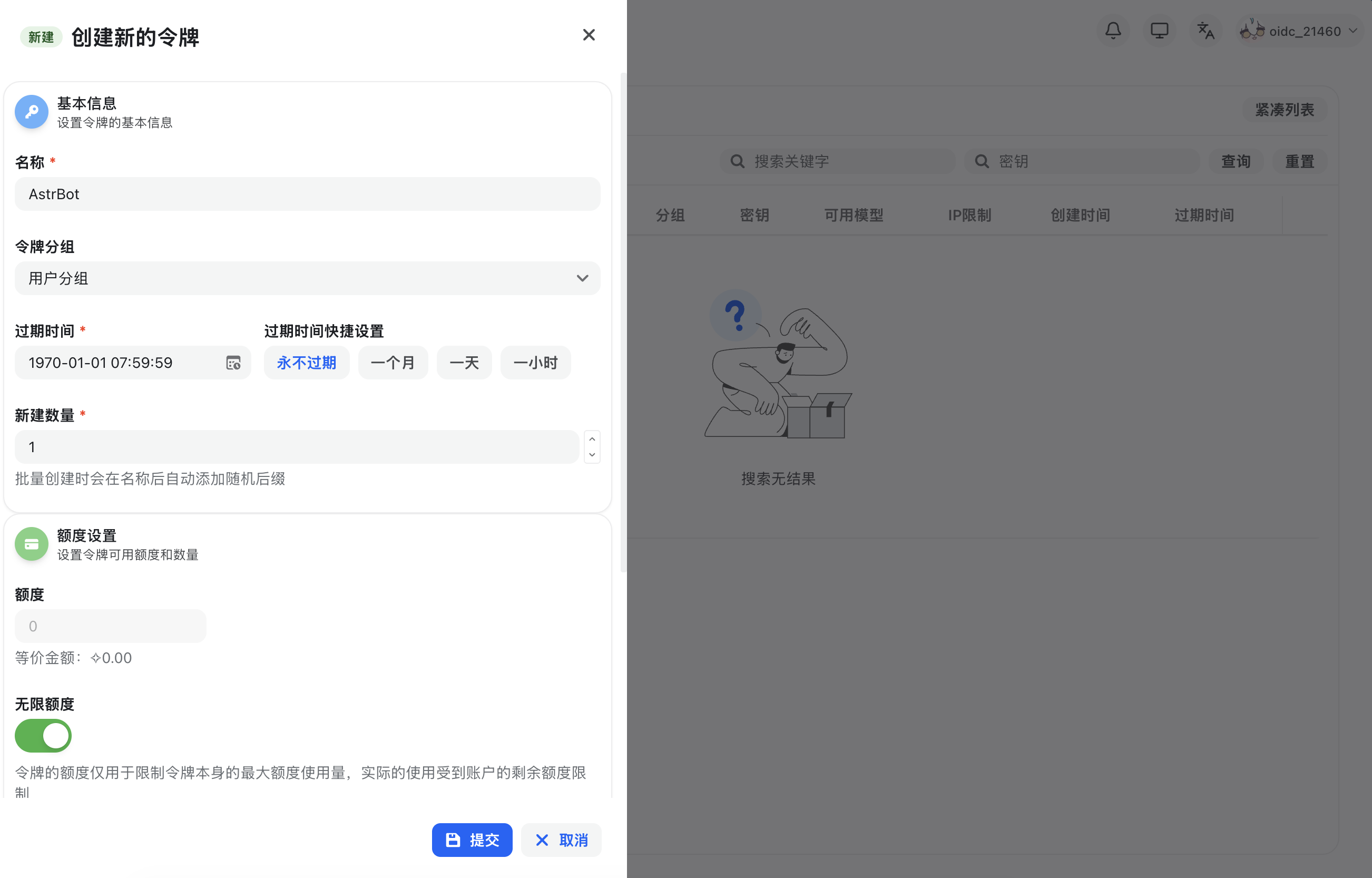
After creation, copy the generated API key.
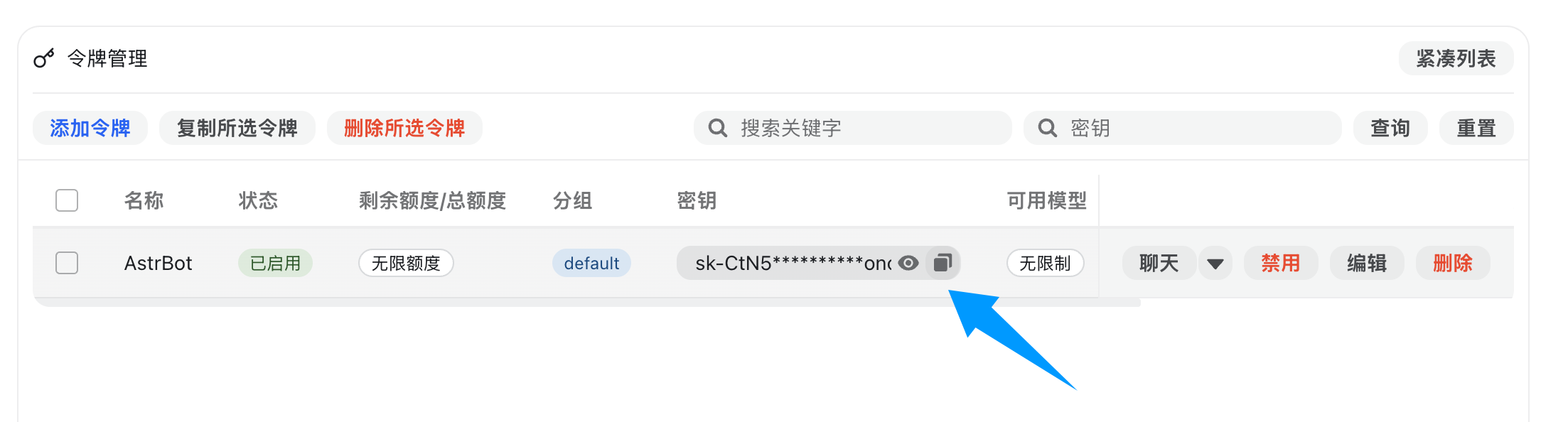
2. Configure NewAPI in AstrBot
Open Providers → Chat Completion in the AstrBot WebUI and click Add.
NewAPI fully supports OpenAI Chat Completion and Responses APIs, so select OpenAI Compatible (Chat Completion) or OpenAI Responses and open its provider settings.
Set API Base URL to your NewAPI endpoint:
- Self-hosted NewAPI example:
http://localhost:3000/v1 - Hosted service example:
https://api.example.com/v1
Enter the provider name and API Key, check the API Base URL, then click Save and Fetch Models. Click + beside the desired model and make sure it is enabled. Alternatively, click Save Configuration, then Custom Model and enter the exact model ID. Use Test Model beside the configured model to check availability.
3. Apply the Provider
Open Config, select the profile to use, and go to AI → Model. Set Chat Model to the model you just added, then click Save Configuration at the bottom right. This setting is for AstrBot built-in AI.
You have now successfully configured NewAPI as an AstrBot model provider.