
Connect to WeCom AI Bot Platform
WeCom AI Bot is an official AI-friendly bot platform by WeCom. It can be used directly in one-on-one chats and internal group chats, and supports streaming responses.
AstrBot supports this platform since v4.3.5.
Supported Basic Message Types
| Message Type | Receive | Send | Notes |
|---|---|---|---|
| Text | Yes | Yes | |
| Image | Yes | Yes | Requires message push Webhook URL to be configured. |
| Voice | No | Yes | Requires message push Webhook URL to be configured. |
| Video | No | Yes | Requires message push Webhook URL to be configured. |
| File | No | Yes | Requires message push Webhook URL to be configured. |
Proactive message push: Supported, but requires a message push Webhook URL.
Configure WeCom AI Bot
- Sign in to WeCom Admin Console.
- In the left sidebar, open
Management Tools->AI Bot, then click Create Bot.
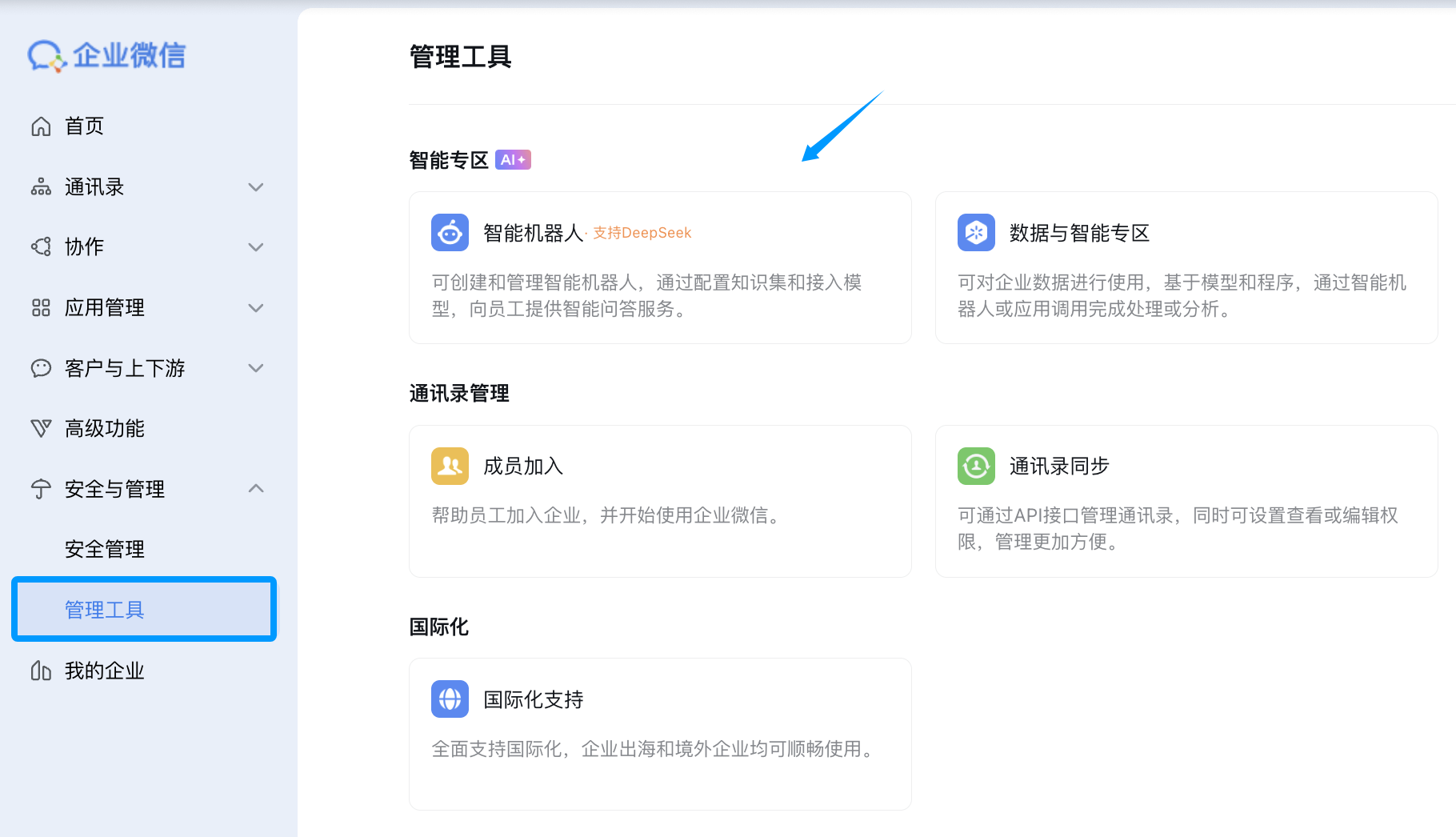
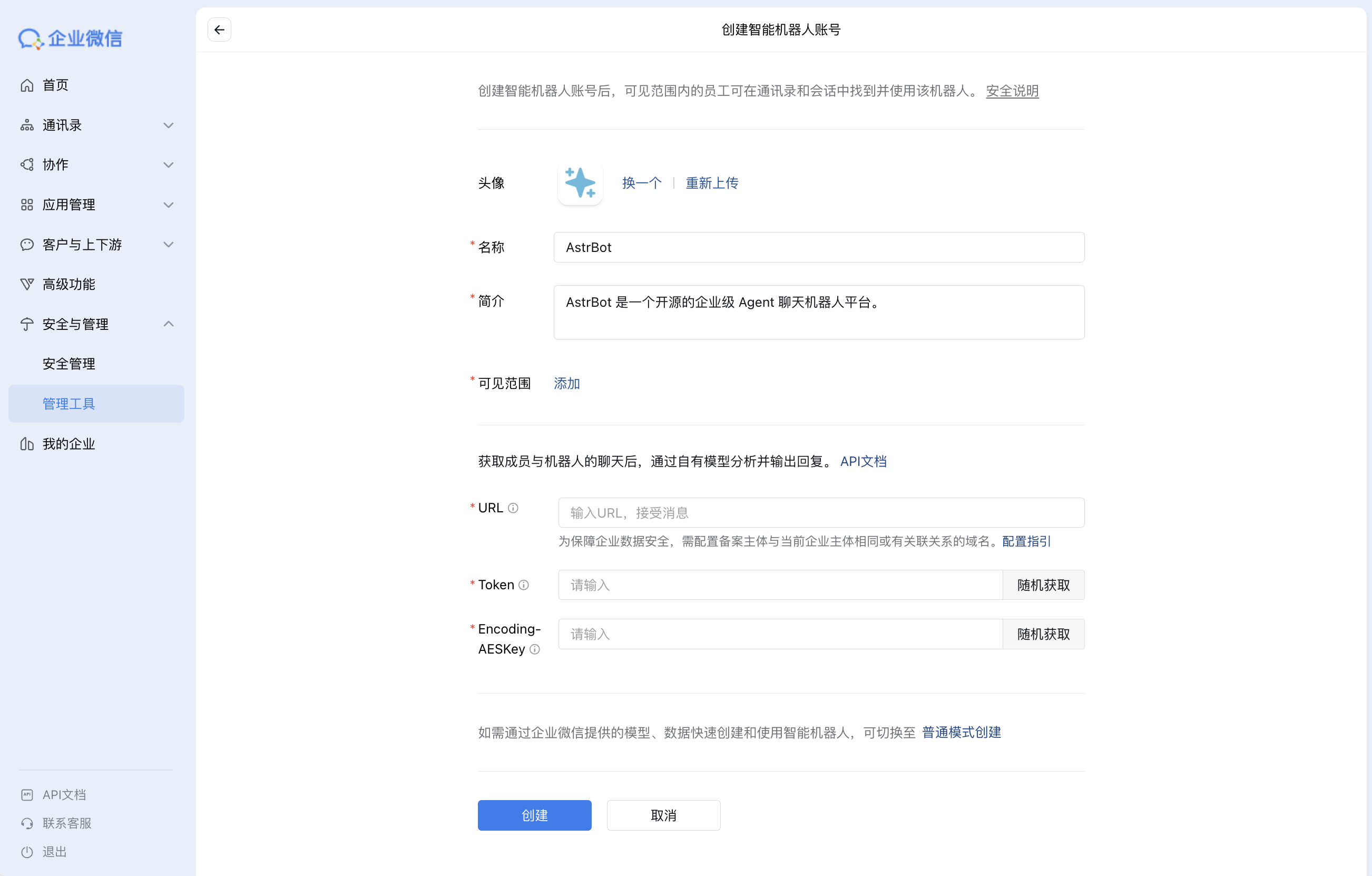
- On the create page, choose
Create via API Mode. Fill bot name/avatar and other basic info. GenerateTokenandEncodingAESKeyusing random generation, but do not click Create yet.
Configure AstrBot
Open AstrBot Dashboard, click
Platforms, then click+ Add Adapter, chooseWeCom AI Bot.Fill AstrBot fields with values from the WeCom AI Bot create page:
- Bot name
tokenencoding_aes_keyid(any unique value)port(default6198, change if needed)
Keep Unified Webhook Mode (unified_webhook_mode) enabled and click Save.
- Return to WeCom AI Bot create page and set
URL:
- If unified mode is enabled, AstrBot generates a unique callback URL after save. Copy it from
Data & Logs → Logs, or select the bot inPlatformsand clickView Webhook URL. - If unified mode is disabled, use
http://IP:port/webhook/wecom-ai-bot.
It is recommended to use a domain + reverse proxy + HTTPS. You can also use Cloudflare Tunnel.
- Click
Create. If successful, you will enter bot details page. If you seeService did not respond correctly, re-check AstrBot config and firewall rules.
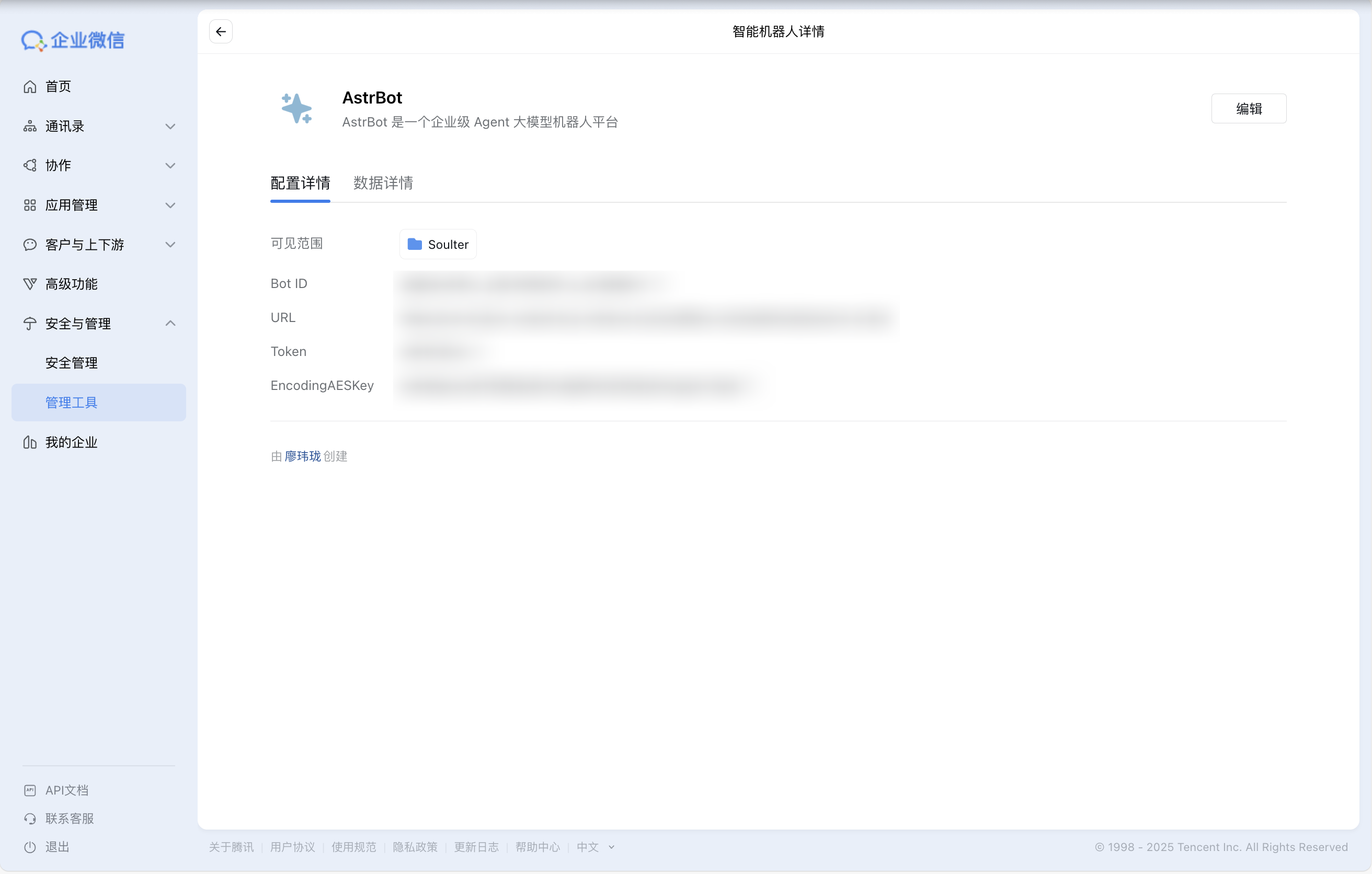
Optional (recommended): Configure WeCom message push Webhook URL. By default, WeCom AI Bot replies only when users send messages first. Configuring message push enables proactive notifications.
Optional (recommended): Enable
Send messages via Webhook onlyfor richer multi-message output and to bypass single-bubble reply limits. This option requires the message push Webhook URL from step 5.
Use the Bot
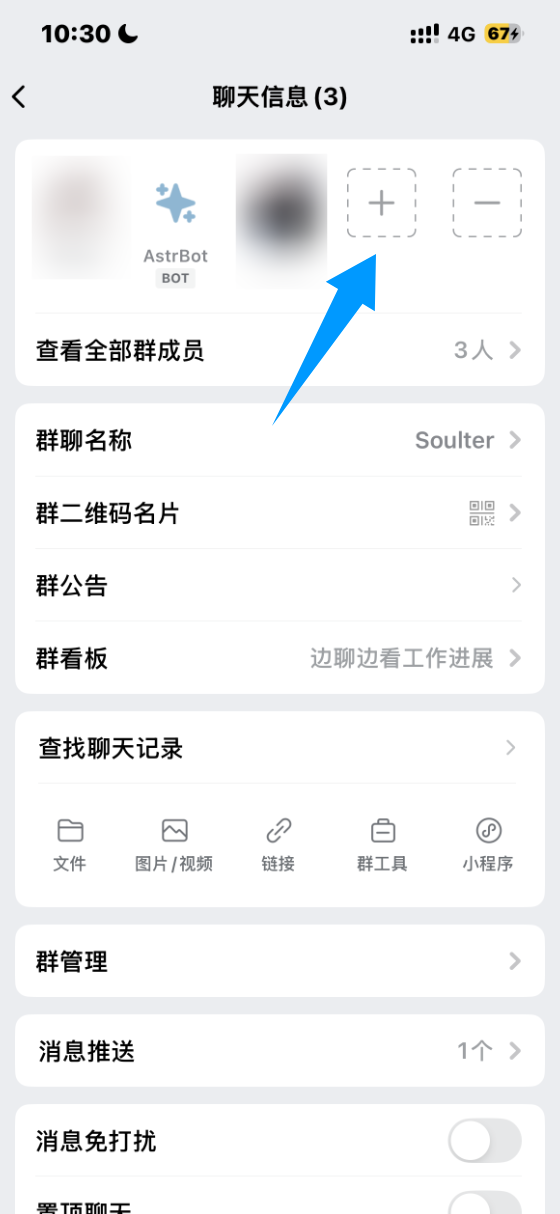
Add Bot to Group Chat
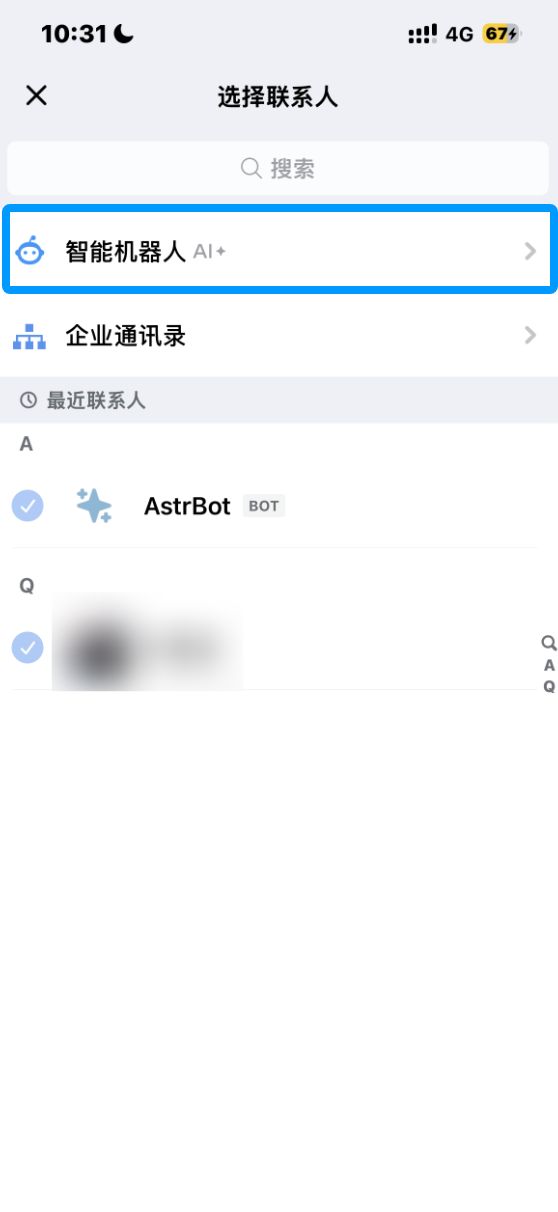
In WeCom client internal group chat, click Add Member -> AI Bot, select the bot you created, and add it.
Chat with the Bot
Send a message in private chat or group chat to talk to the bot.
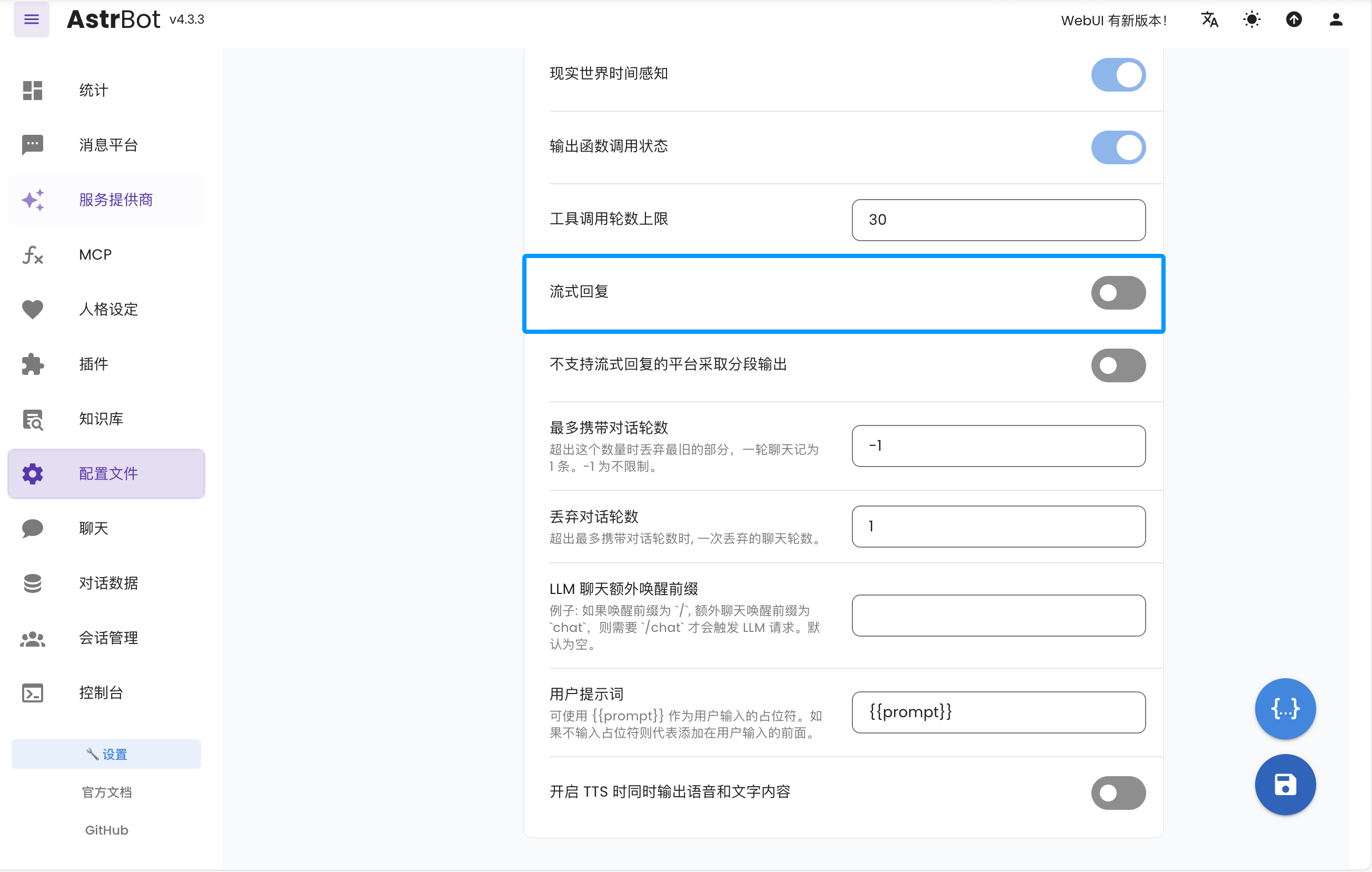
If you need typing-like streaming effect, enable Streaming Reply in AstrBot.
Help & Support
If you have issues during setup/use or need enterprise support, contact: [email protected].