
Connect to Alibaba Cloud Bailian Application
Since v3.4.30, AstrBot supports connecting to Alibaba Cloud Bailian Application.
Configure Alibaba Cloud Bailian Application in AstrBot
On the Alibaba Cloud Bailian Application website, click to add a new application. Create an agent application, workflow application, or agent orchestration application according to your needs, and build the agent or workflow as required.
Record the Application ID:
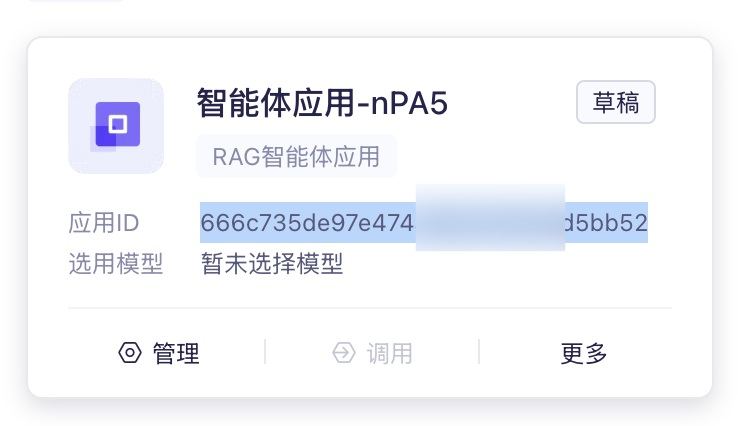
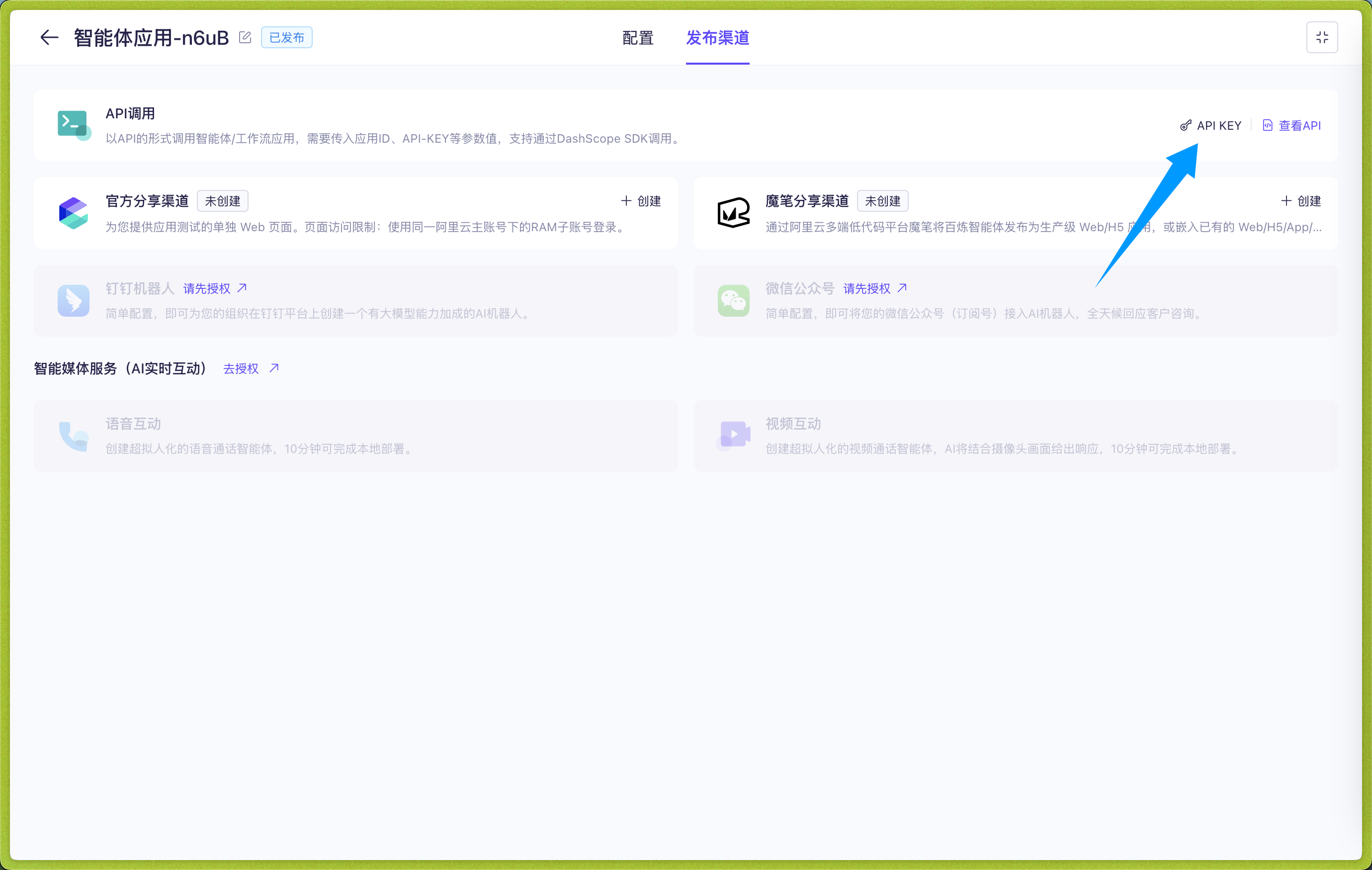
Click to enter the application, click Publishing Channel -> API Call -> API KEY, create and copy the API KEY:
In the WebUI, open Config, select the profile to edit, and open AI. Click More actions (…) beside the heading → Change Execution Mode, select Alibaba Cloud Bailian, read and check the reset acknowledgement, then click Use This Mode. Make sure Enable AI is on, then enter the connection settings on this page. Switching resets the current mode's configuration; see Agent Runner.
According to Alibaba Cloud Bailian Application, there are four application types:
- Agent Application (agent)
- Task Workflow Application (task-workflow)
- Dialog Workflow Application (dialog-workflow)
- Agent Orchestration Application (agent-arrange)
TIP
Multi-turn conversations are only supported for agent applications and dialog workflow applications. AstrBot will automatically attach conversation history for these two types of applications to support multi-turn conversations.
Please ensure that the Application Type configured in AstrBot matches the application type created in Alibaba Cloud Bailian Application.
Then fill in the Application ID in Application ID and the API KEY in API Key.
After filling in these three items, click Save Configuration.
Save the Configuration
When all fields are complete, click Save Configuration at the bottom right. This profile uses the selected execution mode and connection settings directly; no separate runner provider or provider ID selection is needed.
Appendix: Dynamically Set Workflow Input Variables During Chat (Optional)
For the two workflow applications, you can dynamically set input variables in the chat area.
Use the /set command to dynamically set input variables, as shown in the figure below:
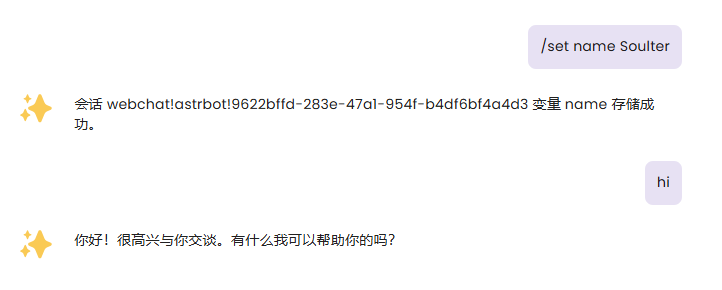
After setting variables, AstrBot will attach the variables you set in the next request to Alibaba Cloud Bailian Application, flexibly adapting to your Workflow.
Of course, you can use the /unset command to cancel the variables you set. For example, /unset name
Variables are permanently valid in the current session.