
Connect AstrBot to WeChat Official Account Platform
AstrBot supports WeChat Official Account integration (version >= v3.5.8). After setup, you can chat with AstrBot directly in the WeChat Official Account chat interface.
Before You Start
- Open AstrBot Dashboard.
- Click
Platformsin the left sidebar. - Click
Add Adapter. - Select
weixin_official_account.
A configuration dialog will appear. Keep it open and continue.
Create / Sign In to WeChat Official Account Platform
Open WeChat Official Account Platform.
- If you already have an account, sign in.
- If not, register a new account and choose
Official Account.
NOTE
A newly registered account may require 1-2 days for review before it can be used.
Configure Callback Service
Open Settings & Development -> Development Interface Management.
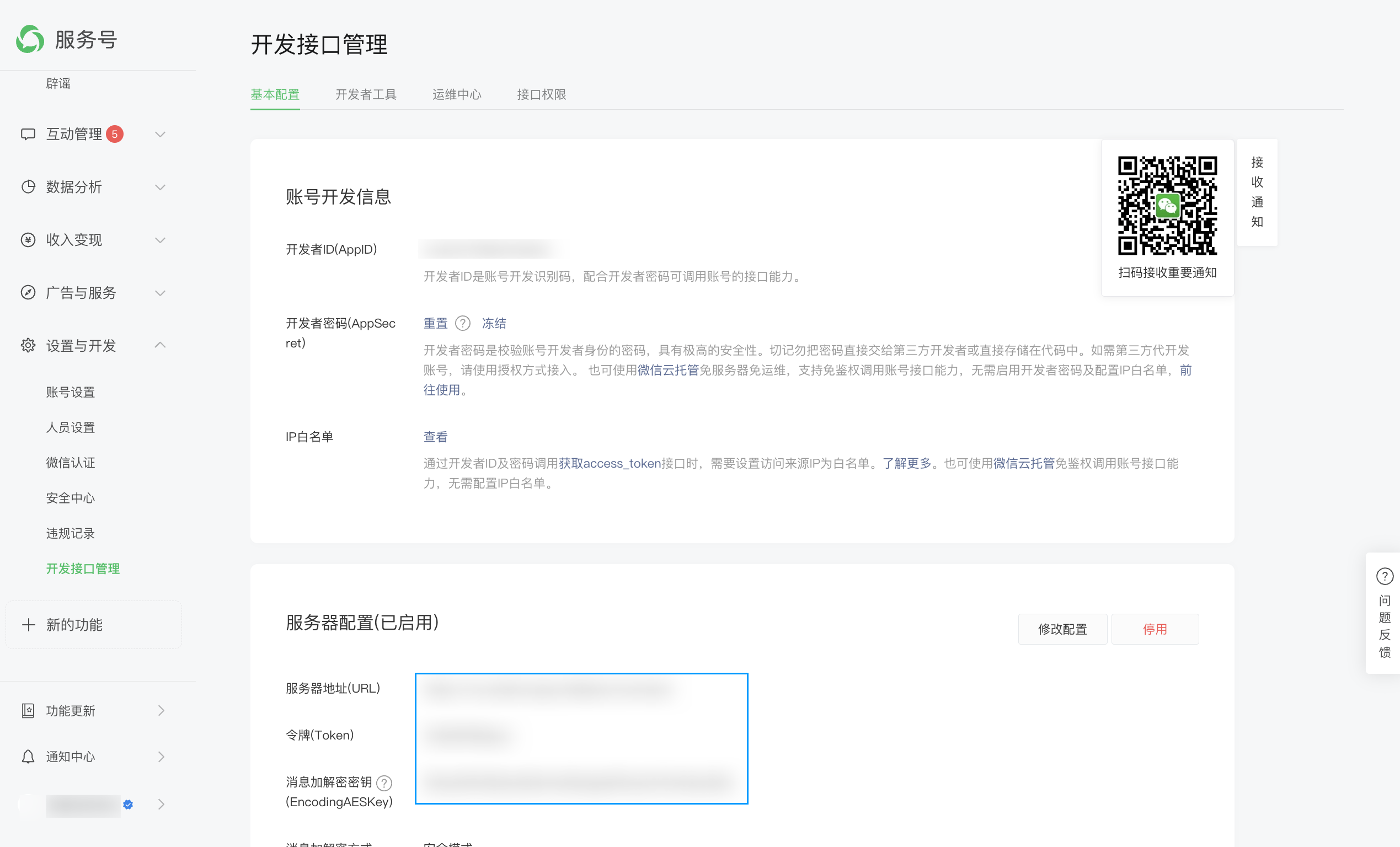
Copy AppID and AppSecret from WeChat platform to AstrBot fields appid and secret.
Open IP whitelist and add your public IP(s), one per line if multiple.
In server configuration, click modify.
Token: create any string with length 3-32, and fill the same value in AstrBottoken.EncodingAESKey: click random generate and fill AstrBotencoding_aes_key.
Keep Unified Webhook Mode (unified_webhook_mode) enabled (recommended), then click Save in the creation dialog (or Save changes for an existing bot) and wait for the adapter to reload.
For URL:
- If unified mode is enabled, copy the generated URL from
Data & Logs → Logs, or select the bot inPlatformsand clickView Webhook URL. - If unified mode is disabled, use
http://<your-domain>/callback/command.
NOTE
WeChat Official Account callback supports only ports 80 or 443. You usually need a domain and reverse proxy:
- Unified mode enabled: forward to AstrBot port
6185 - Unified mode disabled: forward to adapter port
6194
Set message encryption mode to Security Mode.
Wait a moment and click Submit. If configuration is correct, you will see success.
Test
In WeChat Official Account platform, open account profile and find your QR code.
Scan it with WeChat, send help, and check whether AstrBot replies.
If it replies, integration is successful.
NOTE
If console shows ip xxxxx not in whitelist, your public IP is not in WeChat whitelist yet. Add it and wait a few minutes for WeChat to refresh.
Reverse Proxy (Custom API Base)
AstrBot supports custom endpoint via api_base_url for environments without stable public IP.
Voice Input
Install ffmpeg for voice input support.
- Linux:
apt install ffmpeg - Windows: download from FFmpeg website
- macOS:
brew install ffmpeg