
Connect to KOOK
Supported Message Types
Version v4.19.2
| Message Type | Receive | Send | Remarks |
|---|---|---|---|
| Text | Yes | Yes | Supports official kmarkdown syntax |
| Image | Yes | Yes | Supports external links; jpeg, gif, png only |
| Audio | Yes | Yes | Supports external links |
| Video | Yes | Yes | Supports external links; mp4, mov only |
| File | Yes | Yes | Supports external links |
| Card (JSON) | Yes | Yes | See Kook Docs - Card Messages |
Proactive message push: Supported
Message receiving mode: WebSocket
Create a Bot on Kook
Go to the Kook Developer Center and follow these steps:
Log in and complete identity verification.
Click "Create Application" and customize your Bot's nickname.
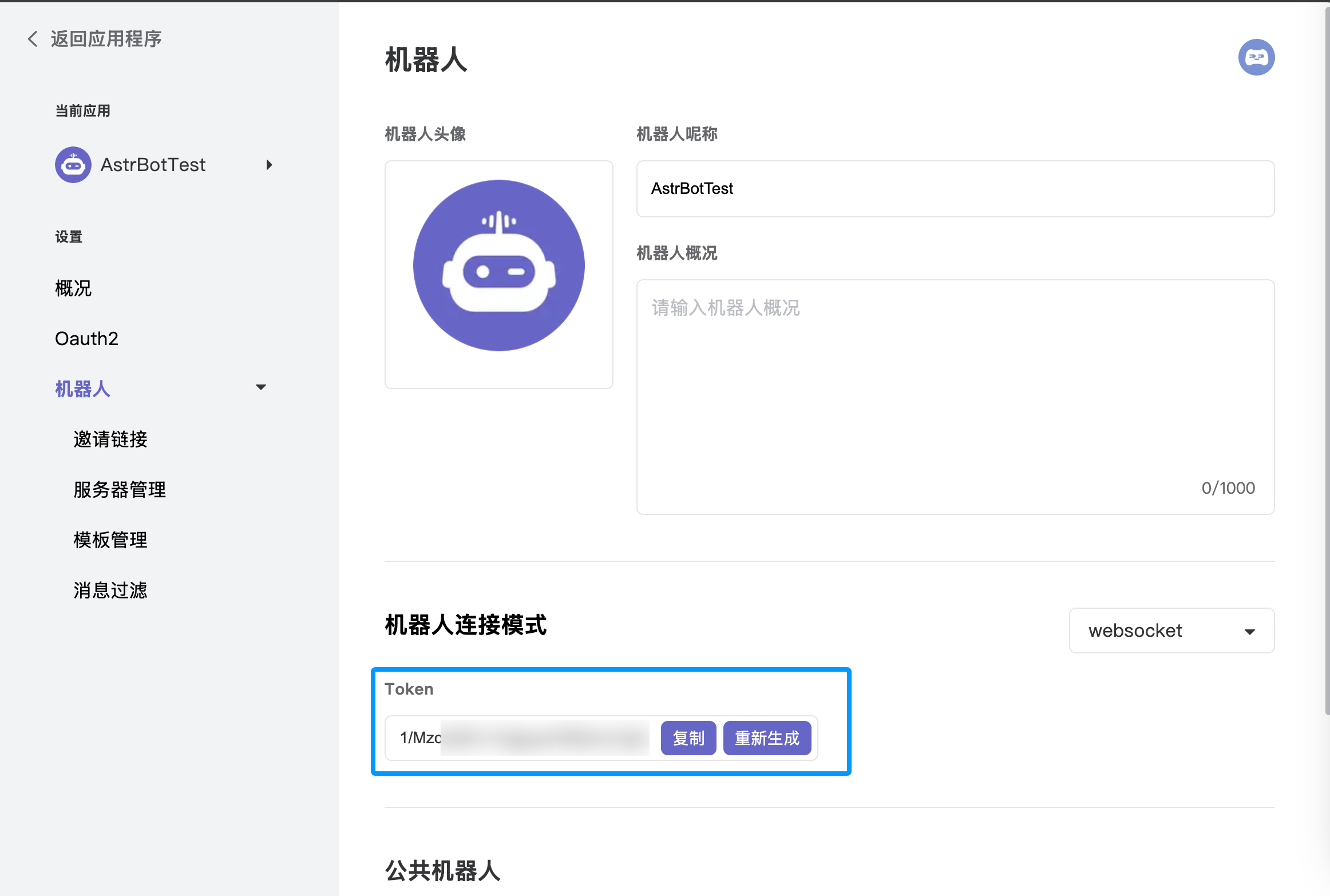
Enter the application dashboard, select the Bot module, and enable WebSocket connection mode. Make sure to save the generated Token, as you will need it for the subsequent AstrBot configuration.
Under the "Bot" page in the left sidebar, click "Invite Link" and set the role permissions (full permissions are recommended to ensure all features work).
Copy the invite link, open it in your browser, and add the bot to your desired server.
Configure in AstrBot
Access the AstrBot management panel.
Click Platforms in the left sidebar.
Click
Add Adapterabove the bot list.Select the
kookadapter.Fill in the configuration fields:
- ID (id): Any name to identify this specific instance.
- Enable (enable): Check the box.
- Bot Token: Paste the Token generated from the Kook Developer Center.
Click
Saveafter filling in the details.Finally, in a Kook server channel (create one first if you haven't), @ the bot and type
/sid. If the bot responds, the configuration is successful.