
Connect server-satori (Koishi)
TIP
server-satori is a Koishi plugin that exposes Koishi as a Satori server, so AstrBot can connect to Koishi through Satori.
Preparation
Make sure you already have a running Koishi instance.
If not, follow official docs first:
- Koishi starter docs: https://koishi.chat/zh-CN/manual/starter/windows.html
- Koishi community: https://koishi.chat/zh-CN/about/contact.html
Enable server-satori in Koishi
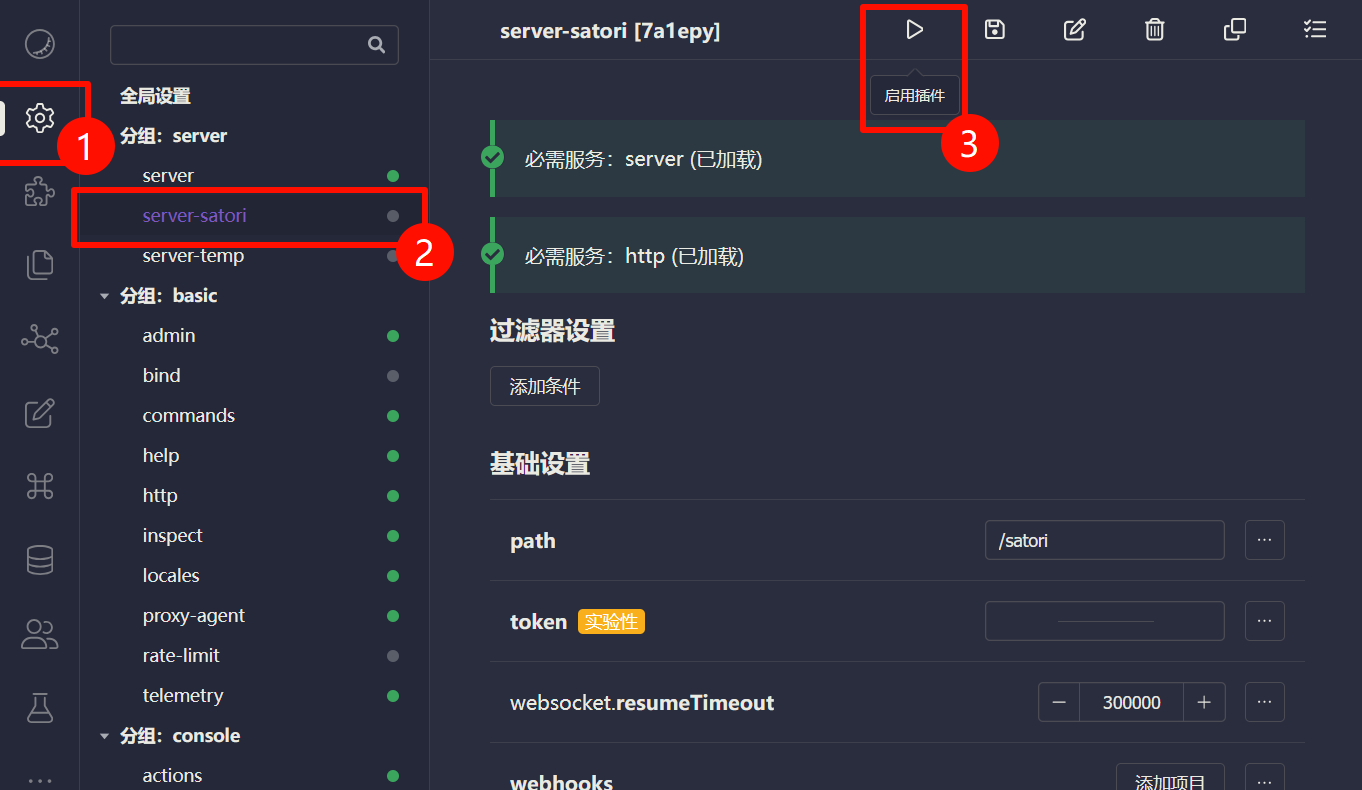
- Open Koishi admin panel.
- Go to
Plugin Config. - Install and enable
server-satori(defaults usually work).
After enabling, server-satori serves Satori API under /satori.
Configure Satori Adapter in AstrBot
- Open AstrBot Dashboard.
- Click
Platforms. - Click
Add Adapter. - Select
satori.
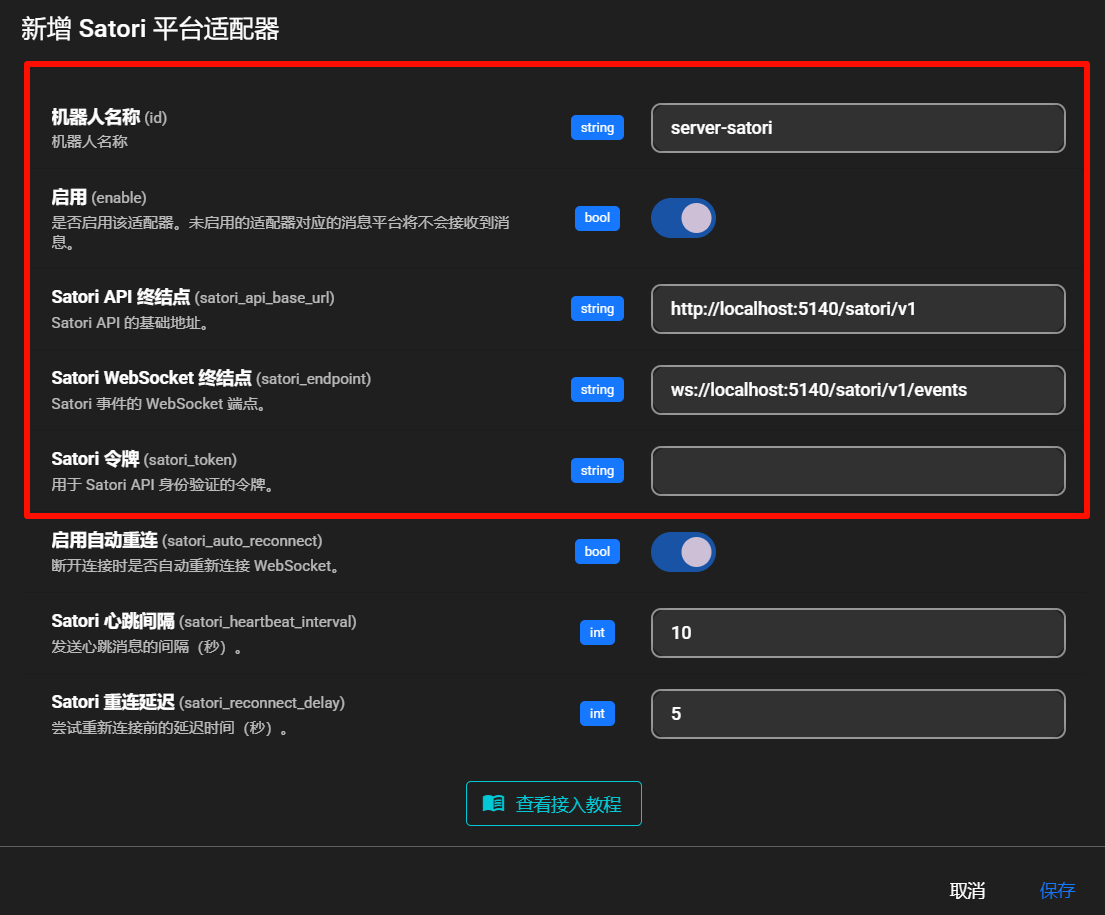
Fill in:
- Bot ID (
id):server-satori - Enable (
enable): checked - Satori API endpoint (
satori_api_base_url):http://localhost:5140/satori/v1 - Satori WebSocket endpoint (
satori_endpoint):ws://localhost:5140/satori/v1/events - Satori token (
satori_token): usually empty unless configured in Koishi
NOTE
- Koishi default port is
5140. server-satoridefault path is/satori.- So the full API base is
http://localhost:5140/satori/v1. - If your Koishi runs on different host/port/path, change accordingly.
Click Save.
Done
AstrBot should now be connected to Koishi via server-satori.
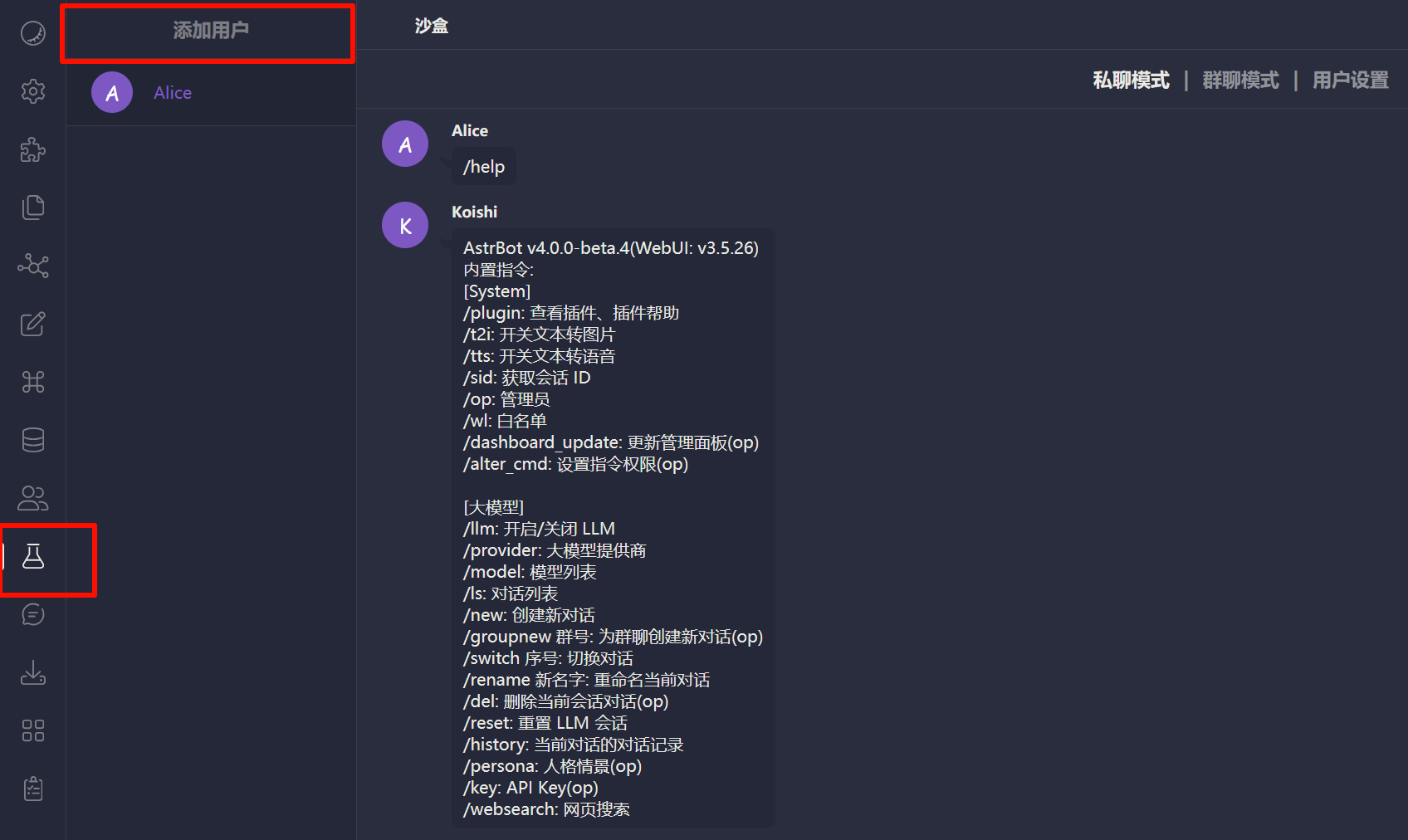
Test by sending an AstrBot command (for example /help) in Koishi sandbox.
Troubleshooting
If connection fails, check:
- Koishi is running.
server-satoriis installed and enabled.- Port/path are configured correctly.
- Firewall is not blocking related ports.