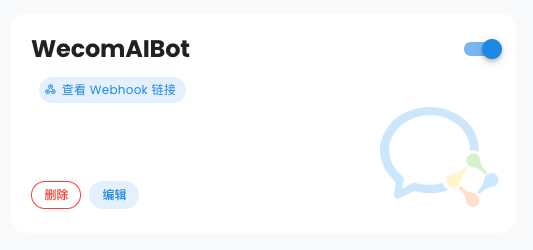
Unified Webhook Mode
Starting from v4.8.0, AstrBot supports Unified Webhook Mode (unified_webhook_mode). When this mode is enabled, all platform adapters that support it will use the same Webhook callback endpoint, simplifying reverse proxy and domain configuration. You no longer need to configure separate ports, domains, and reverse proxies for each bot adapter.
Platform adapters that support Unified Webhook Mode include:
- Slack Webhook Mode
- WeChat Official Account
- WeCom Application
- WeCom AI Bot
- WeChat Customer Service Bot
- QQ Official Bot Webhook Mode
- ...
How to Use Unified Webhook Mode
- Have a domain (e.g., example.com) and a server with a public IP
- Configure DNS resolution (e.g., astrbot.example.com)
- Configure reverse proxy to forward requests from port 80 or 443 of your domain to AstrBot's WebUI port (default is 6185)
- Go to AstrBot's
Configurationpage, clickSystem, and set theExternally Reachable Callback URLto your configured URL (e.g., https://astrbot.example.com). Click save and wait for restart.
When configuring each platform adapter afterwards, enable Unified Webhook Mode (unified_webhook_mode).
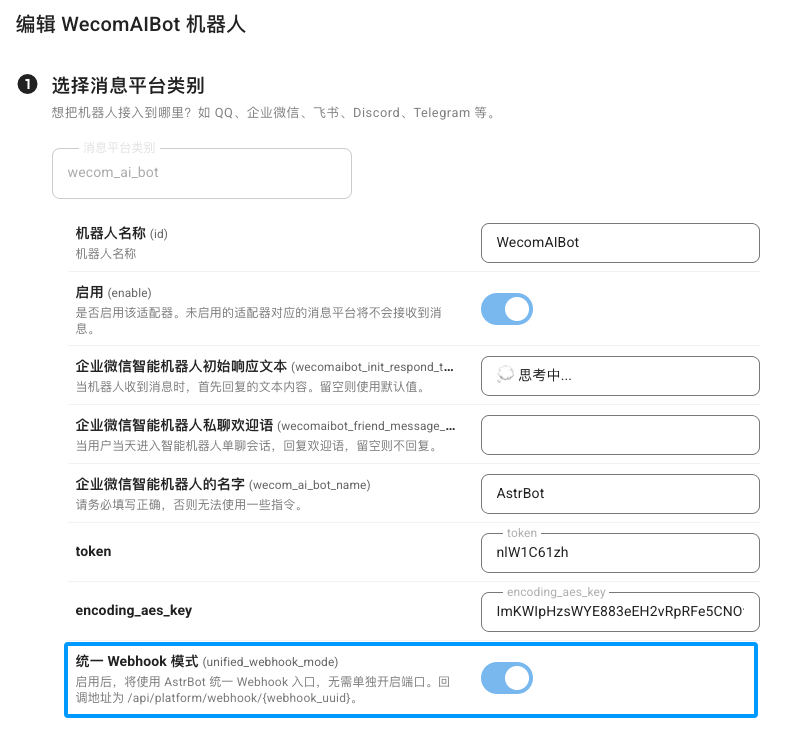
Once this mode is enabled, AstrBot will generate a unique Webhook callback URL for you. You just need to fill this URL into each platform's callback address field.